A well-designed and professionally structured CV is often the first touchpoint that determines whether a recruiter continues reading. In 2026, a professional CV template for 2026 needs to be more than visually appealing — it should also be compatible with Applicant Tracking Systems (ATS), software that screens and evaluates applications before a recruiter gets to read them.
Below is a collection of 10 professional Vietnamese CV templates you can explore and download for free, along with the key criteria for creating a CV that looks professional while remaining ATS-friendly.
What Makes a CV Effective in 2026?
An effective CV should balance visual appeal with machine readability:
- Clear, single-column layout — ATS typically parses content from top to bottom, so avoid complex two-column layouts.
- Logical information hierarchy — organize your name, target position, experience, and skills in an easy-to-scan order.
- Adequate white space — avoid overcrowding the page with too much text.
- Minimal graphics, tables, and charts — these elements can be difficult for some ATS platforms to parse correctly.
Most importantly, your CV should help recruiters understand your value within the first few seconds. If you want to learn more about how automated screening systems work, read our guide How to Write an ATS-Friendly CV in 2026.
10 CV Templates for Different Industries in 2026
This collection includes templates designed for different career fields, all featuring ATS-friendly layouts and structures:
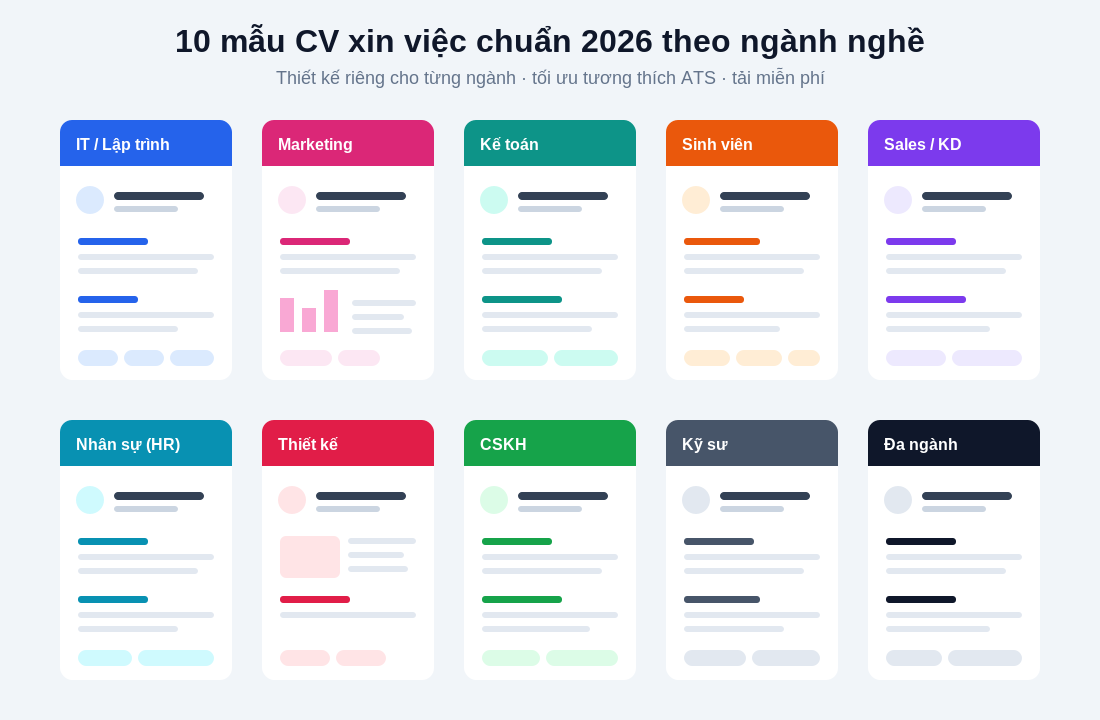
👉 Download the complete collection of 10 free CV templates for 2026
Recommended Fonts and Colors for Your CV
Using the right fonts and colors can make your CV easier for both recruiters and ATS software to read:
- Font: Choose clean, easy-to-read fonts that support Vietnamese characters, such as Roboto, Be Vietnam Pro, or Open Sans. Avoid handwriting and decorative fonts.
- Font size: Use 10–12pt for body text, with section headings 2–4pt larger to establish a clear visual hierarchy.
- Colors: Use only 1–2 subtle accent colors. Too many colors can make your CV look cluttered and may interfere with parsing in some ATS platforms.
How to Customize Your CV for Each Position
Using the same template is fine, but you should tailor it to each job description to improve your chances of getting shortlisted:
- Rewrite your professional summary to align with the position you’re applying for.
- Reorder your skills, placing those that match the job description first.
- Move the most relevant content higher up, and remove details that are no longer relevant.
- Keep your CV concise and focused, ideally within 1–2 pages.
Frequently Asked Questions (FAQ)
What file format should I use for a CV in 2026? Prioritize a .pdf exported from a text-based document (rather than a scanned image), or .docx if the job description specifically requests it. Both formats can be ATS-friendly.
Will an ATS reject a CV with colors? No, as long as colors are used only as visual accents and the content remains in a single-column text-based format rather than being placed inside images or text boxes.
Which CV template should students with no work experience use? Choose a recent graduate template that focuses on education, academic projects, extracurricular activities, and relevant skills.
Create an ATS-Friendly CV in Just a Few Clicks
Instead of downloading separate templates and editing them manually, you can create your CV directly from TalentFlux-AI’s ATS-friendly template library: enter your information using guided prompts and export your CV within minutes. The system automatically maintains the correct formatting, helping you save time while creating a professional, ATS-friendly CV.
.png&w=3840&q=75)
.png&w=3840&q=75)